How to build a website with Replit in under an hour
Yes. You can build and publish a working website with Replit in under an hour without writing code, and you can do it on the free plan. In this build, one prompt produced a live directory site with search, filters, a guided chat and 50 generated profiles 11 minutes after starting the clock. A second prompt added an AI chat, and a second small site was finished by minute 32. What you get is a solid prototype, not a finished product.
In this video14 chapters
- App builders like Replit, Lovable and Base44 take you from a prompt to a live, hosted site with a database in one place.
- The first version took one prompt and about three minutes of build time. It was live 11 minutes after starting the clock.
- Two rounds of changes on one app used 89% of the free credits. Free is enough to prototype, not to finish.
- The result is good enough for most simple sites. It falls short on unique design, sensitive data and control over the code.
- The quality of the site follows the quality of the prompt. Expect to go back and forth.
How to build and publish a website with Replit, step by step
- Step 01Clock 0:00
Create a free Replit account
Go to replit.com and press Create account. Sign up with an email address or a Google account, and expect to verify a phone number along the way. When it offers you a plan, choose "Continue for free". Paid plans start at US$20 a month and you can upgrade at any time, but nothing in this guide needs one.
Start a timer when you begin. It stops you polishing and keeps the goal clear: a working first version, fast.
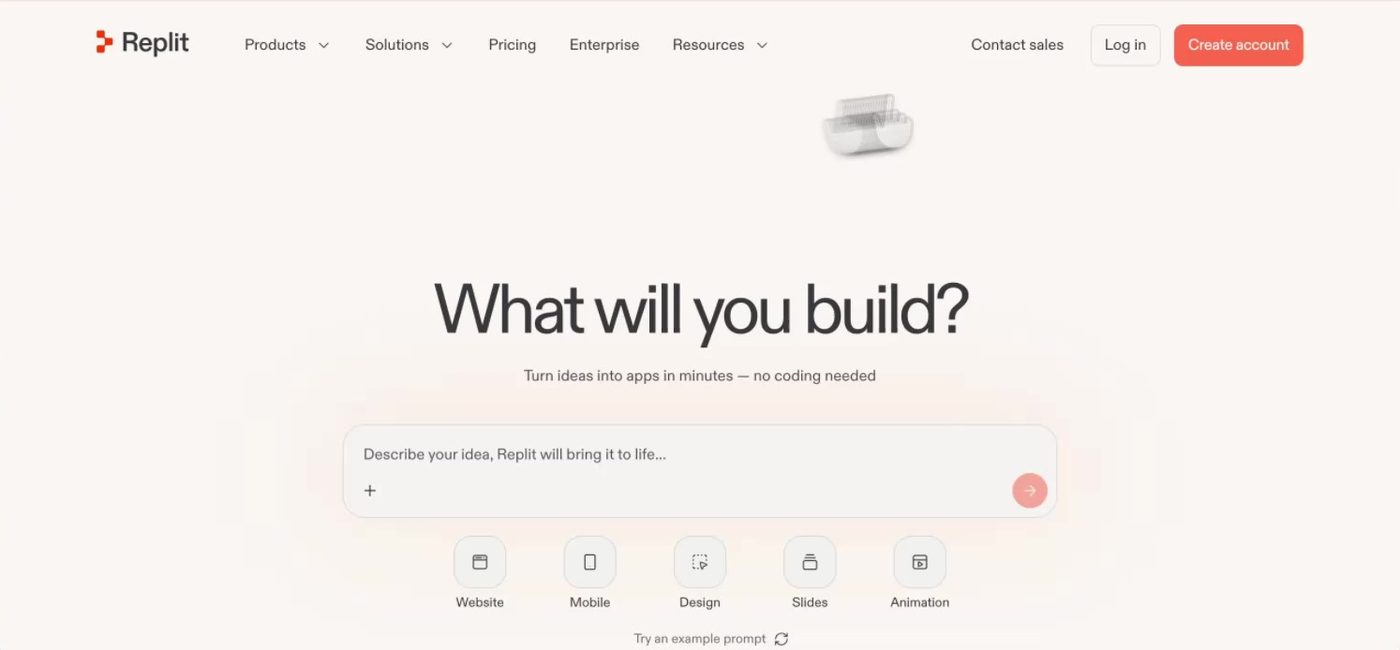
Start at replit.com. Create account is top right. - Step 02Clock 2:00
Describe the whole product in one prompt
Replit opens on a chat box, the same as ChatGPT or Claude. Describe what the site is, who it is for, the features it must have, and where the data comes from. If you have no real data yet, ask for generated data so the site looks alive.
This build replicates findpsych.com.au, a registry for patients to find psychologists. It is my own site. Pointing a builder at an existing site is a fast way to get a structure, but only do it with a site you own. Cloning someone else's business is copying, not building.
Prompt used Create a version of findpsych.com.au. It is a registry for patients to find psychologists in Australia. Make sure to have a working chat interface which drills down to the correct filters. Make sure to have filters and map view options. All site data is to be generated. Make 50 dummy profiles.
Note. Replit will suggest a more powerful paid mode for a complex job like this. You can decline it. The standard agent on the free plan built everything below.
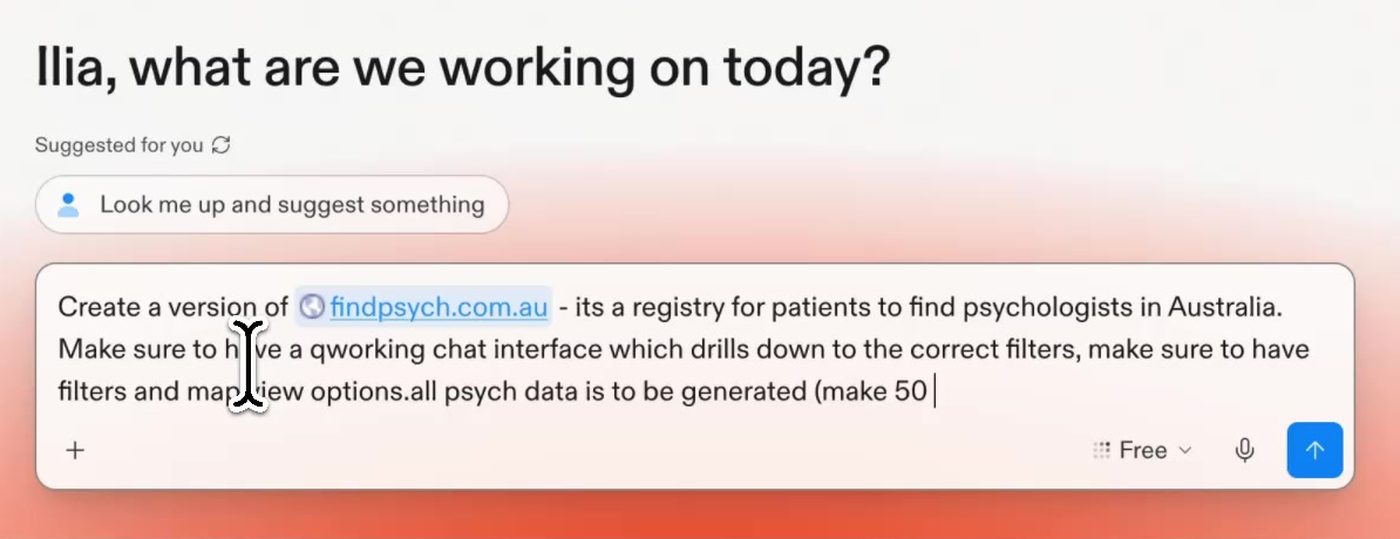
The whole brief goes in one message. Note the plan selector reads Free. - Step 03Clock 6:30
Let the agent build, then read what it made
The agent plans the app, writes the code, creates the database and generates the data. Here it worked for about three minutes.
It then reports what it built. In this case: a three-step chat that narrows to a match, search and filters, list and map views, 50 generated profiles, profile detail pages, an appointment enquiry form and a responsive layout. Read that list. It tells you what to test.
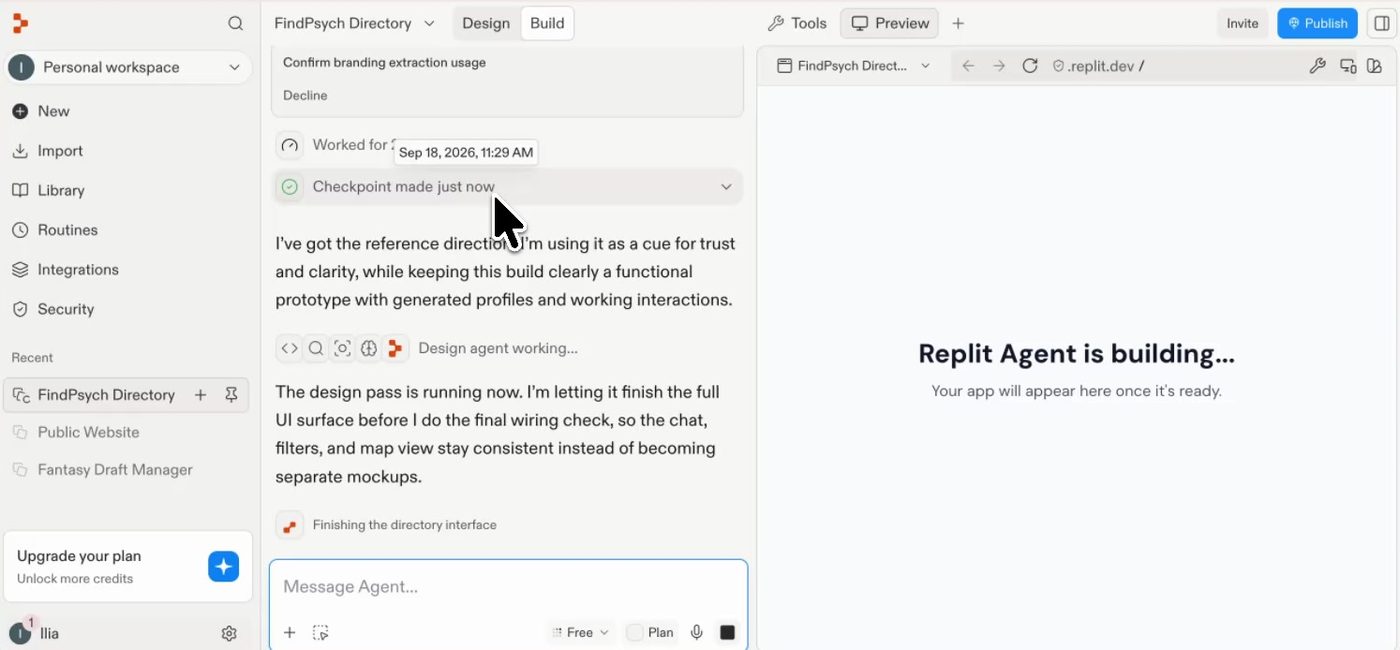
While it works, the agent narrates what it is doing. Nothing to do here but wait. 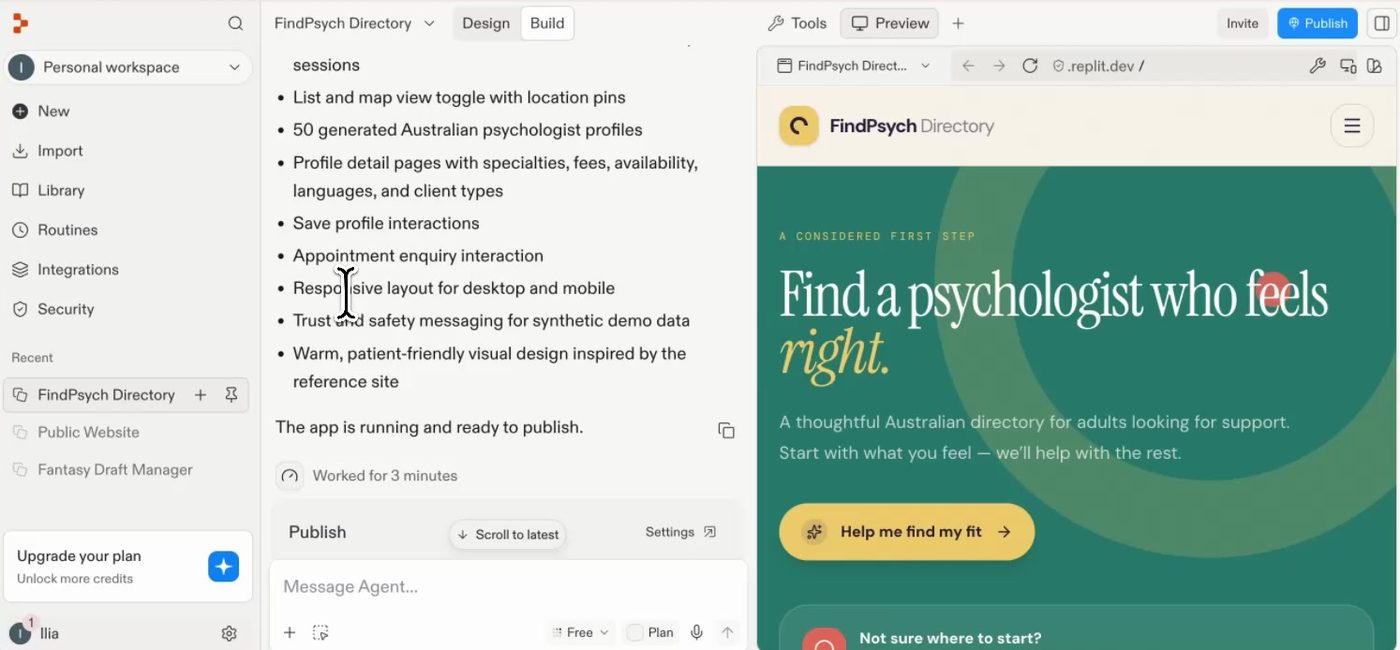
Three minutes later: the feature list on the left, a working preview on the right. - Step 04Clock 8:00
Publish it
Press Publish and accept the suggested address. Replit hosts the app on a replit.app subdomain. You can buy a domain inside Replit or connect one you already own later.
This site was live on the internet at 11 minutes on the clock.
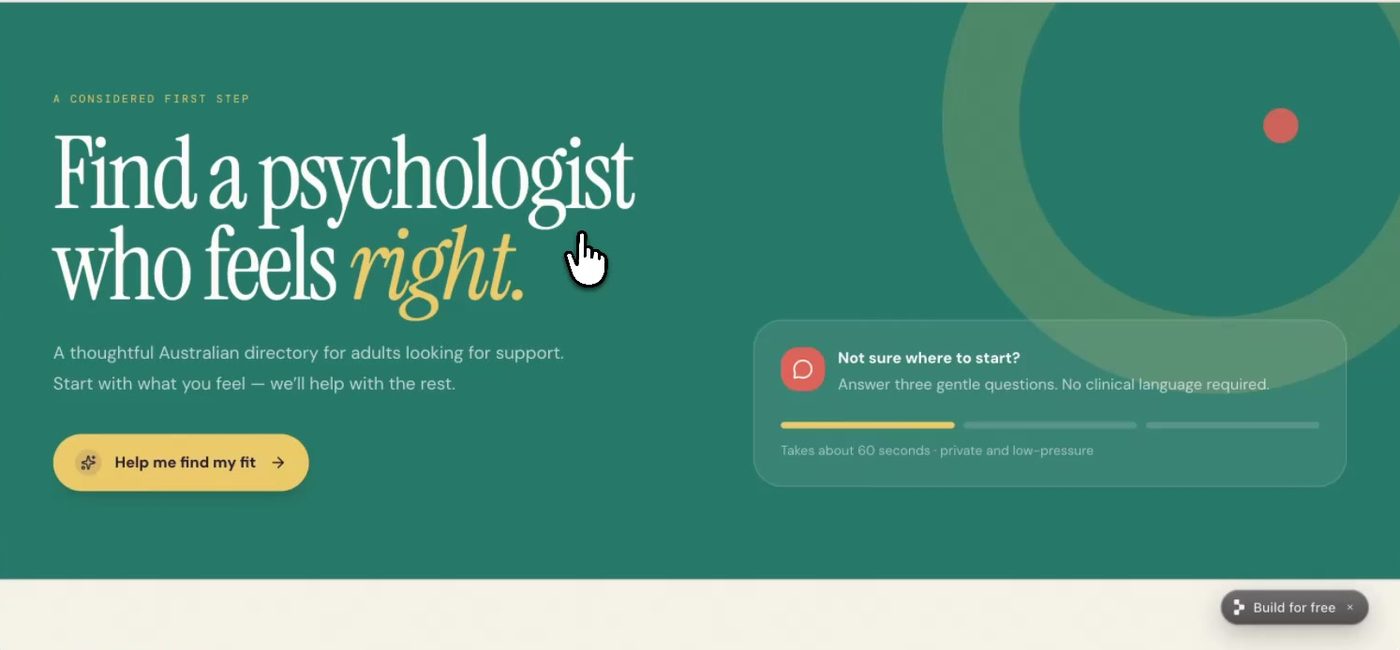
The published site, live on a replit.app address at 11 minutes. - Step 05Clock 11:00
Test it like a customer and write down what is wrong
Open the live address and use the site the way a customer would. Search a suburb. Apply a filter. Try the chat. Open the map.
Version one was usable: search, filters and the guided chat all worked. The map view did not load properly, and the chat was a fixed three-step flow, not a conversation. Those two notes became the next prompt.
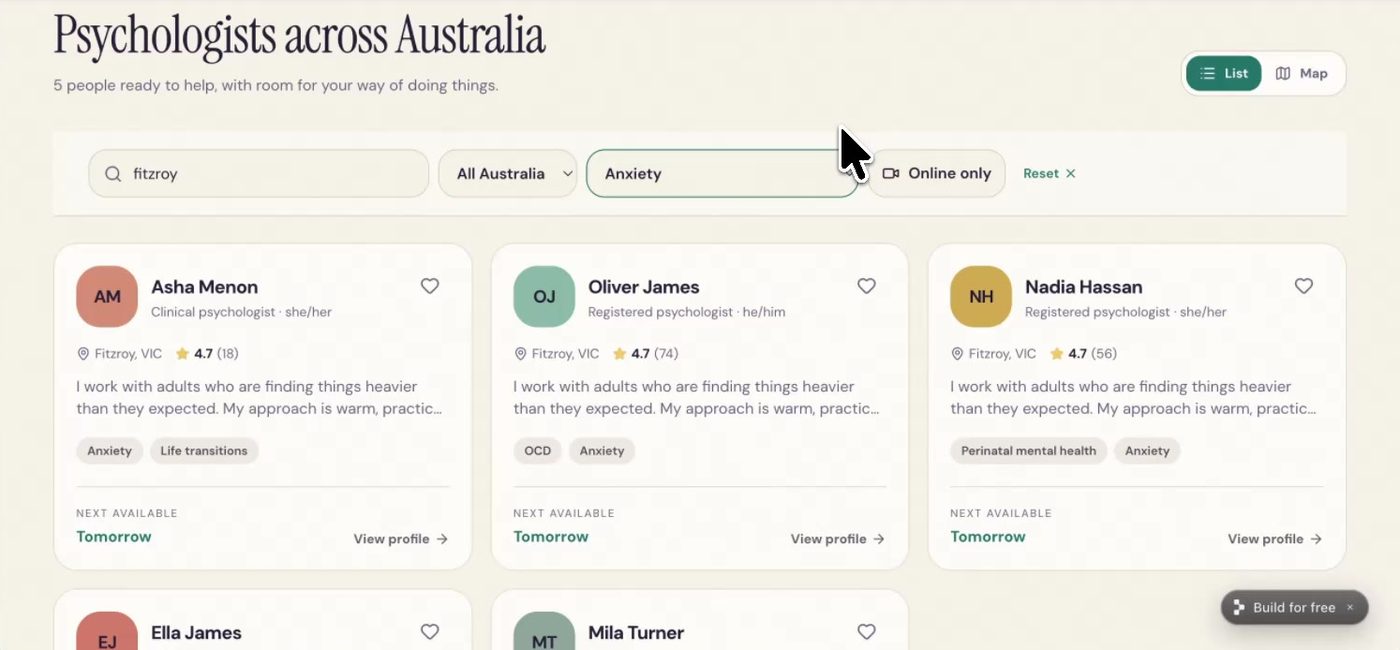
Search and filters work, and the 50 generated profiles make the site feel real. 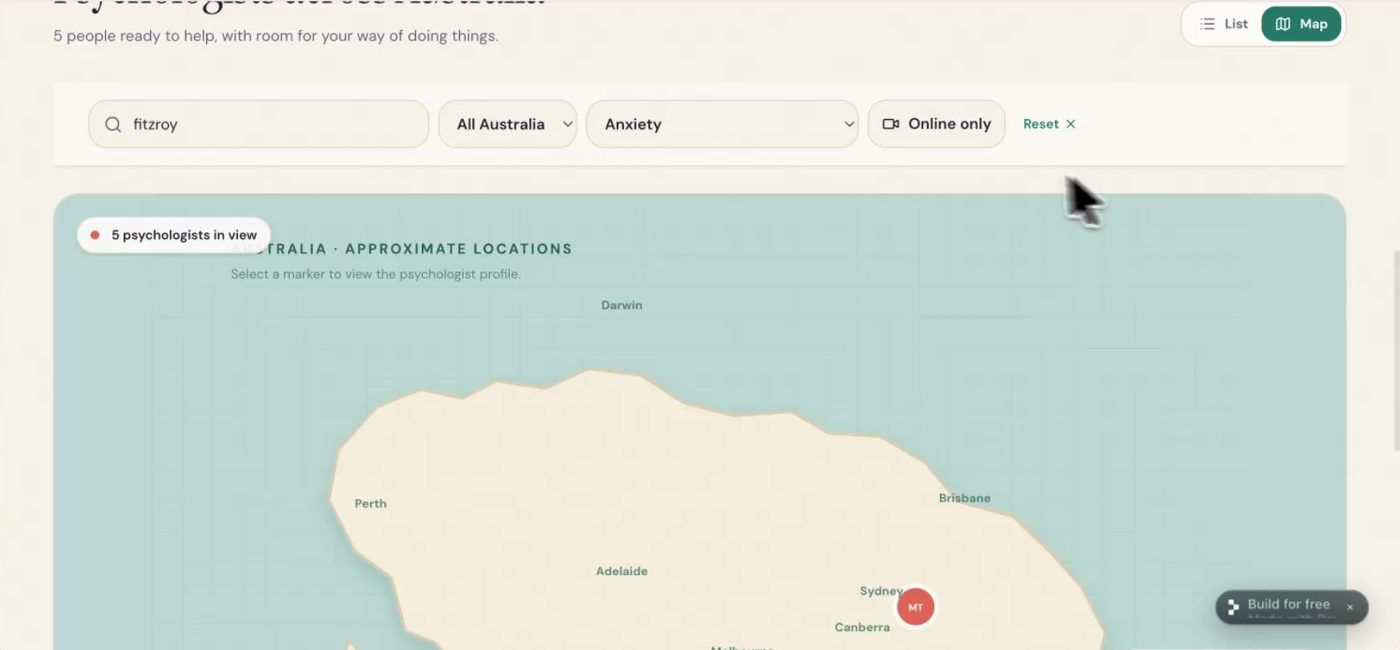
The map view is where version one falls down. This goes in the next prompt. - Step 06Clock 13:50
Fix and extend with a second prompt
Ask for the fixes and the next feature together. Be specific about what is broken.
Adding an AI chat means the app has to call an AI model, and that costs money per use. Replit offers two routes: pay Replit and it handles everything, or paste in your own API key from a model provider. If you do not know what an API key is, pay Replit. It is simpler. Either way, never show or share a key.
This second pass took about nine minutes and was republished at minute 25.
Prompt used Can you also add an AI chat interface so that a patient can have a conversation to have a psychologist recommended for them. Also, the map does not seem to load. Can you fix it?
Note. After this pass the free plan was at 89% of its credit allowance. Two rounds of changes on a complex app is about what free gives you.
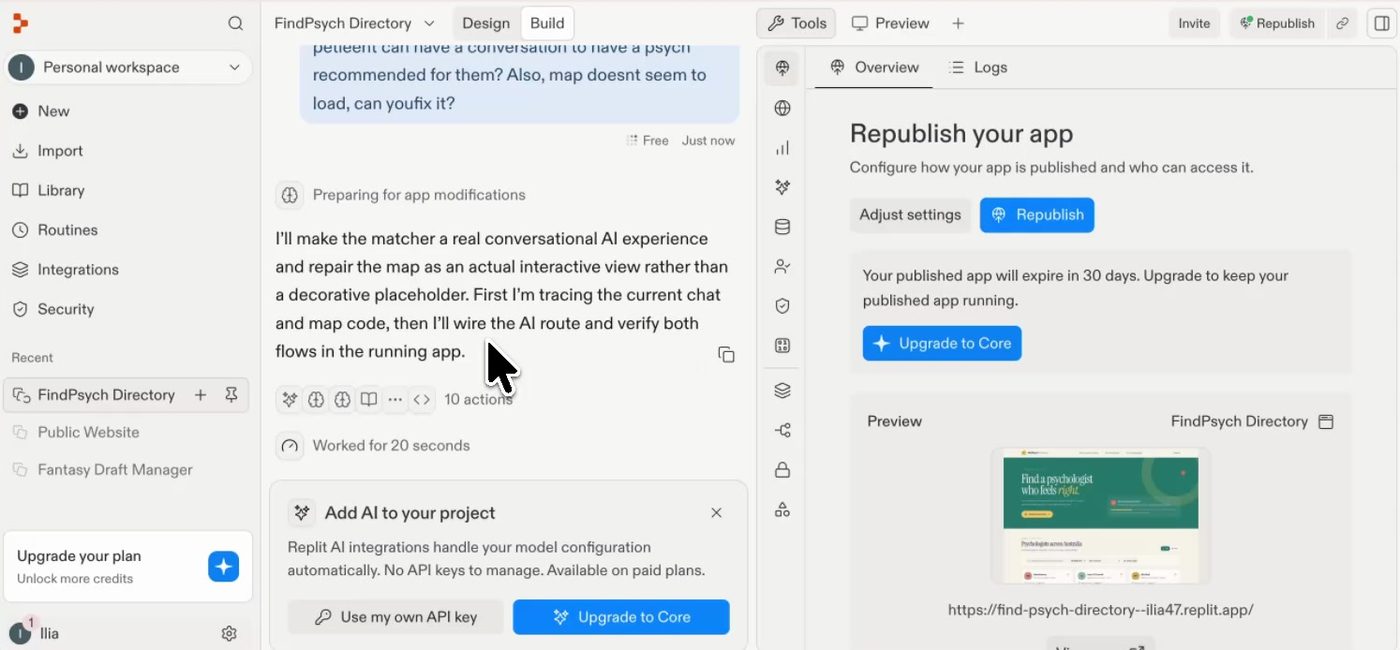
The fork in the road for AI features: bring your own API key, or upgrade and let Replit handle it. 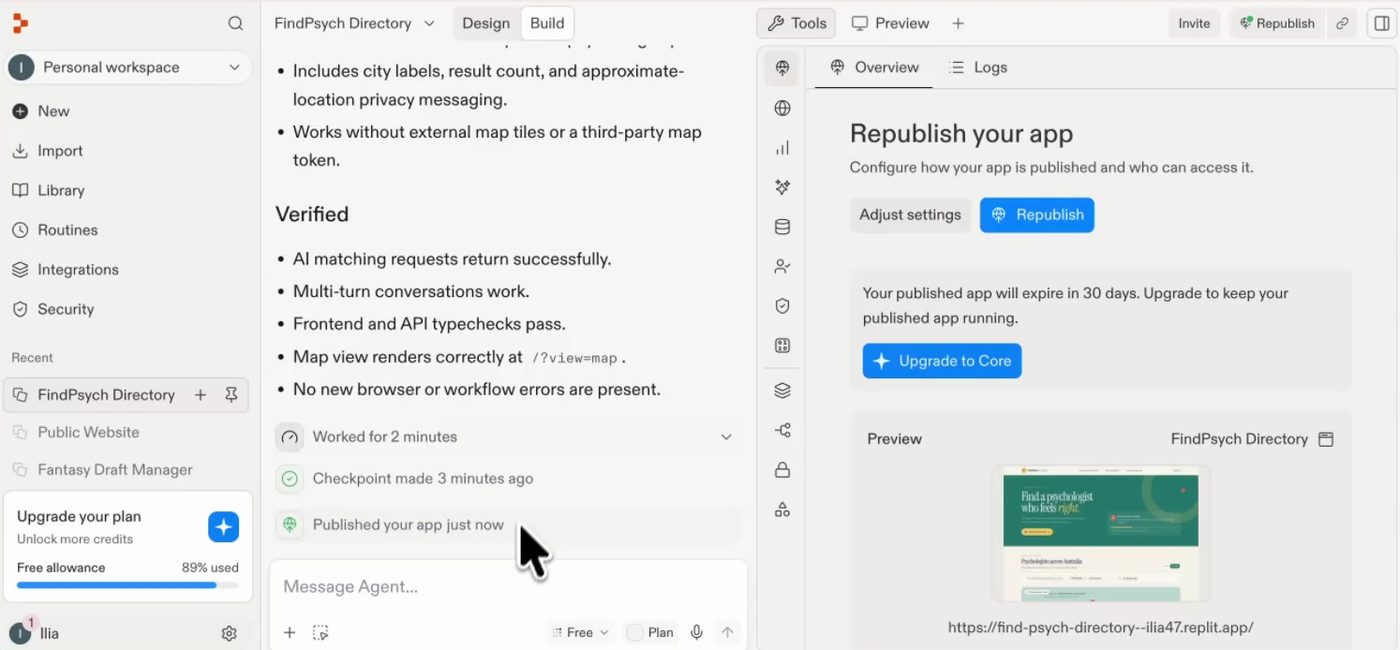
Second pass verified and republished. The meter bottom left reads 89% used. - Step 07Clock 26:00
Use what is left for something small and useful
The same tool makes one-page learning sites, landing pages, onboarding material and simple dashboards. This one teaches basic Italian greetings for a first week in Italy. It came back with audio for each phrase and a quiz at the end, and it was finished at minute 31.
The same approach turns a hard-to-read spreadsheet into a small web app your team can scan, or a basic CRM.
Prompt used Create a simple interactive website that teaches me the basic Italian greetings for my first week in Italy. Make it simple and easy to open and review the key things.
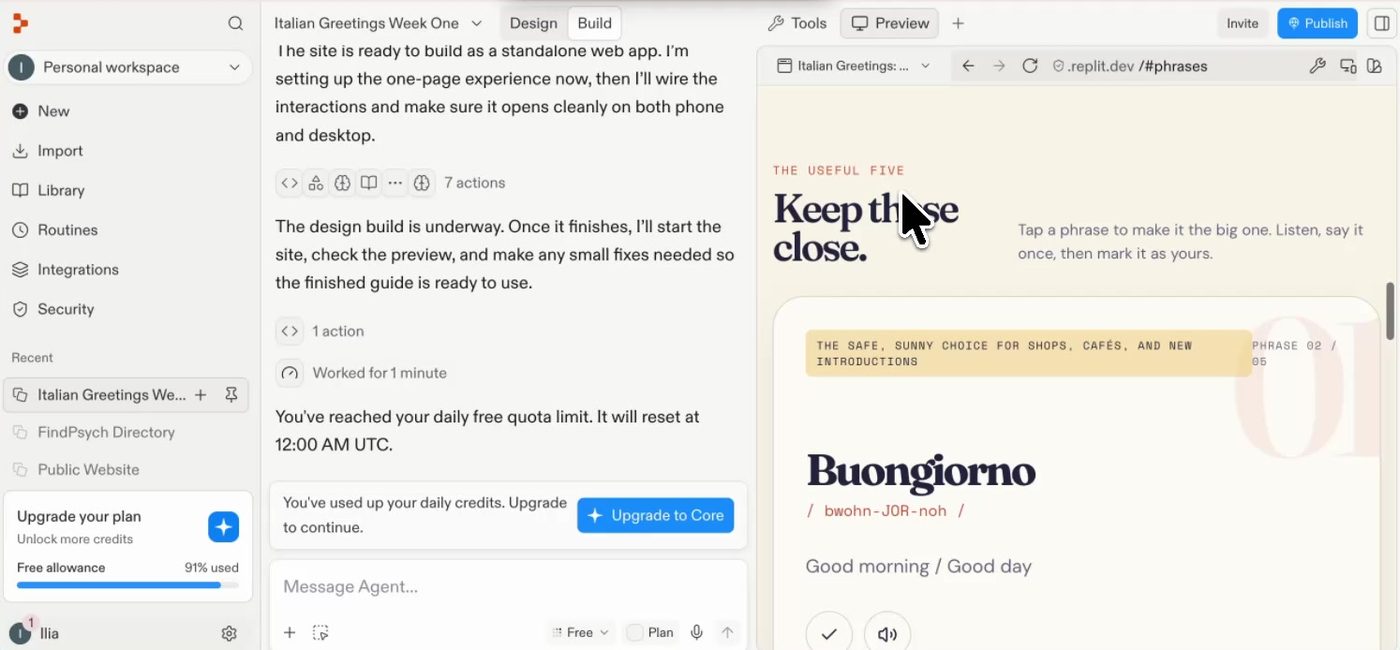
The Italian one-pager, with audio and a quiz. This build ran into the daily free quota at 91%, which is the real ceiling of the free plan.
What is Replit, and how is it different from Lovable or Base44?
Replit is an AI app builder. You describe a product in plain English and it writes the code, creates the database, hosts the app and publishes it, all in one account. Lovable, Base44 and v0 sit in the same category and work the same way: prompt in, live app out. The steps in this guide apply to any of them.
What are the limits of building with Replit?
Replit gives you a decent prototype fast and almost free. The limits are cost as you refine, lock-in to its platform, little control over the code and architecture, weak fit for private or regulated data, and a generic look. None of these matter for a simple site. All of them matter for a serious product.
- Cost grows with polish
- Paid plans start at US$20 a month, and every new app and every change spends credits. Getting from "works" to "looks and feels right" is where the credits go.
- Lock-in
- The app leans on Replit's own hosting, database and setup. You can take the code out, but moving means rebuilding those parts somewhere else. The bigger the app gets, the more that costs.
- Control
- You do not choose the architecture and you do not review the code it writes. For a local business site that is fine. For a product you plan to grow, it is a risk.
- Privacy and regulated data
- If you handle personal, health or financial information, you need control over where data is stored and how it is secured. Do not improvise on privacy, security or data hosting.
- It all looks the same
- Use enough of these tools and you start to recognise the output. If the brand has to look unique, you will be fighting the tool.
- Your prompt is the ceiling
- The first result is not what you imagined because the prompt did not say what you imagined. Plan for several rounds.
When should you not use an app builder?
Skip the app builder when the product handles sensitive or regulated data, when it needs a distinctive design, when you need to own and control the code, or when it has bespoke logic the builder keeps getting wrong. FindPsych itself is built with Claude Code for those reasons: it operates in a regulated space and needs control over data, design and architecture.
Building with Replit in Australia: what to know
The tool works the same everywhere. These are the things that change for an Australian business.
- Pricing is in US dollars
- Plans are billed in USD, so the amount on your card moves with the exchange rate and your bank may add a foreign transaction fee. Budget in AUD with a margin.
- Where the data lives
- Apps are hosted on overseas cloud infrastructure by default. If you collect personal information from Australians, check where it is stored before launch, not after.
- The Privacy Act may apply to you
- The Privacy Act 1988 and the Australian Privacy Principles cover most businesses with turnover above $3 million, and any business providing a health service and holding health information, whatever its size. A psychologist directory with real patients is squarely in scope. A generated-data prototype is not.
- Getting a .com.au domain
- A .com.au domain needs an ABN or ACN under the auDA rules. Register it with an Australian registrar and connect it to your published app.
Questions people ask about this
Is Replit free?
Yes, to start. Replit has a free plan with a limited credit allowance, and paid plans start at US$20 a month. In this build, one complex app plus one round of changes used 89% of it. That is enough to prototype an idea and see it live. A finished product will need a paid plan.
Do I need to know how to code to use Replit?
No. You describe what you want in plain English and the agent writes and runs the code. Knowing how software fits together helps you write better prompts and spot problems, but it is not required to get a working site.
How long does it take to build a website with Replit?
The first version of a directory site with search, filters, a guided chat and 50 profiles was live 11 minutes after starting. A second round adding an AI chat was live at 25 minutes. A simple one-page site took about five minutes.
Can I use my own domain name?
Yes. Published apps start on a replit.app address. You can buy a domain through Replit or connect one you already own. For a .com.au you need an ABN or ACN.
Can I move my app off Replit later?
You can take the code out, but the app relies on Replit for hosting and its database, so moving is a partial rebuild and not a copy and paste. If you expect the product to grow, decide early whether you are comfortable staying on the platform.
Is it OK to copy an existing website with Replit?
Only your own. Pointing a builder at an existing site is a quick way to get a sensible structure, but cloning someone else's business is copying their work. Use other sites for ideas about layout and features, then build your own thing.
Is Replit good enough for a real business?
For most simple sites, landing pages, internal tools and prototypes, yes. It is not the right choice when you handle sensitive data, need a distinctive design, or need control over the code and where it runs.
In a hurry? Watch the 60 second cuts
- Replit ↗The app builder used in this guide.
- Lovable ↗Same category, same process.
- Base44 ↗Same category, same process.
- FindPsych ↗The site replicated in this build. A research prototype, built with Claude Code.
Two ways to get this done
Build it yourself
- Follow the steps above. The prompts are there to copy.
- Start free. Move to a paid plan when you run out of credits, not before.
- Keep a list of what is wrong after each version. That list is your next prompt.
Have me build it
It is worth a conversation when:
- You do not have the time to go back and forth with a builder.
- The site handles personal, health or payment data and has to be done properly.
- You want it to look like your brand, not like every other AI-built site.
- You have outgrown the prototype and need it rebuilt on a stack you own.
Korovin AI: AI for Australian businesses
Korovin AI is a Melbourne agency run by Ilia Korovin, an electrical engineer with ten years in B2B sales who now builds and launches AI products in public. Every guide in Learn comes from a real build, with the real prompts, times and costs.
The agency designs and builds websites, AI assistants and automations for Australian businesses, and takes on the work that app builders are not suited to: sensitive data, distinctive design, and systems you own outright.
Next: the tool I use when the site has to look unique, handle sensitive data and stay under my control.